
Everything you use in OBS, in one light app.
BriseStream captures your game, composes your scenes, mixes your audio, records safely and streams to several places at once. Here is what exists today, and, at the end, what does not.
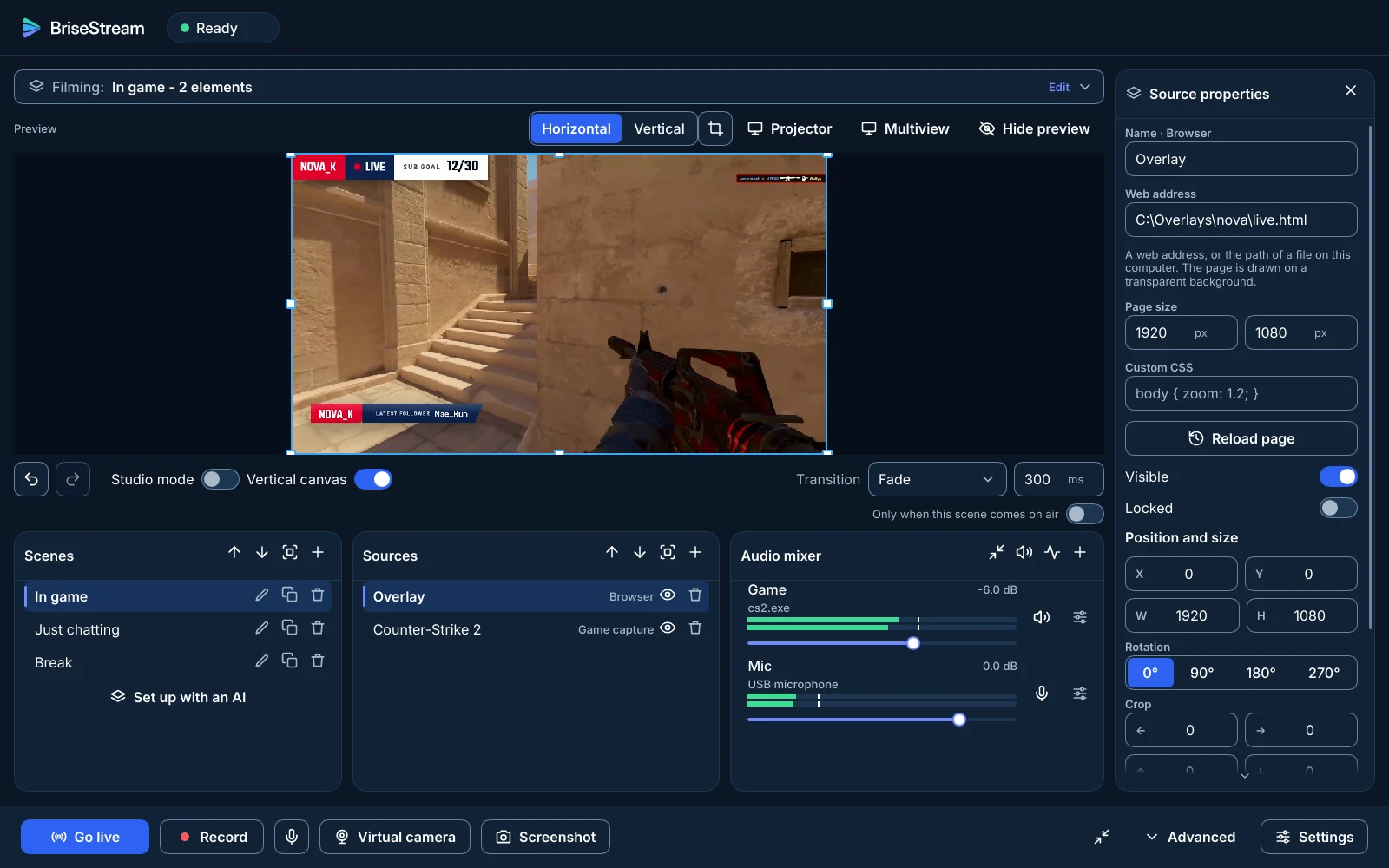
Capture a game without touching it.
Everything is captured through Windows itself. Nothing is injected into your game, and a game that is not on screen costs nothing.
- Game, window and display capture; the cursor is an option
- Webcams and capture cards, with their resolution and frame rate
- Audio devices and one program's sound: include or exclude a single application
- Image, colour, text and media sources; text can show live values and platform alerts
- Slide shows and playlists of media files
- Only frames that changed are taken from the system
Game capture follows the foreground game through the operating system's capture, by design, with no hook. Tests under anti-cheat systems and in exclusive full screen have not been run yet.
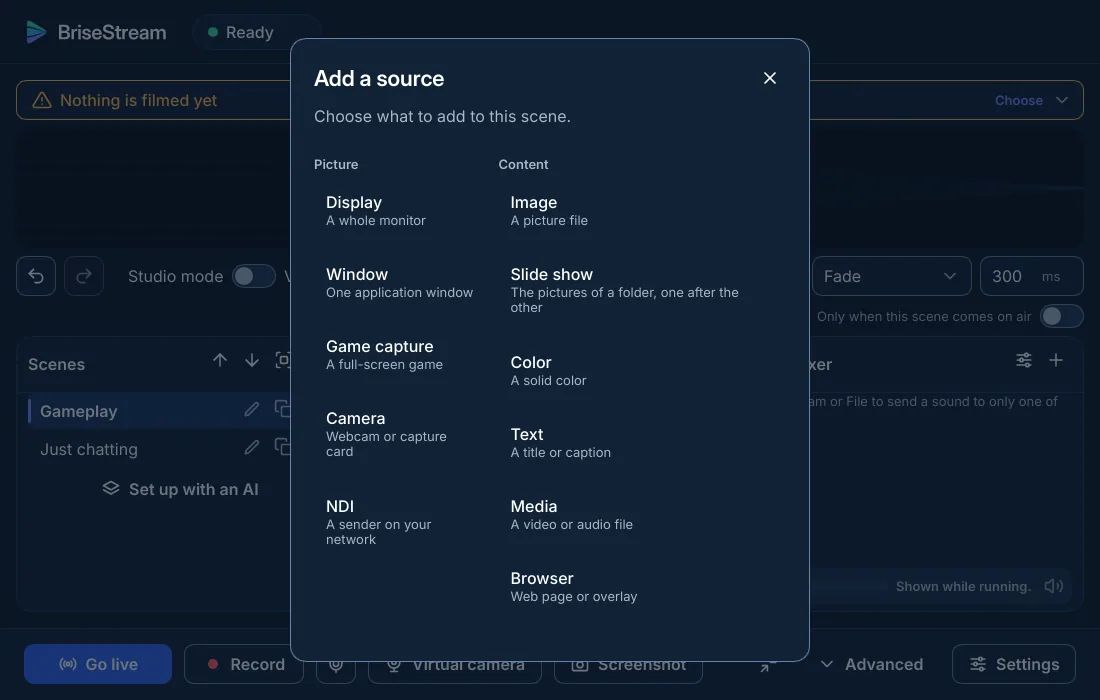
Scenes, studio mode, two canvases.
Prepare the next scene beside the one on air, then send it with a transition. The vertical canvas is a second picture for short-form platforms.
- Transitions: cut, fade, slide, swipe, fade to a colour, luma wipe, stinger and Move
- Studio mode with preview and program, and a transition of its own per scene
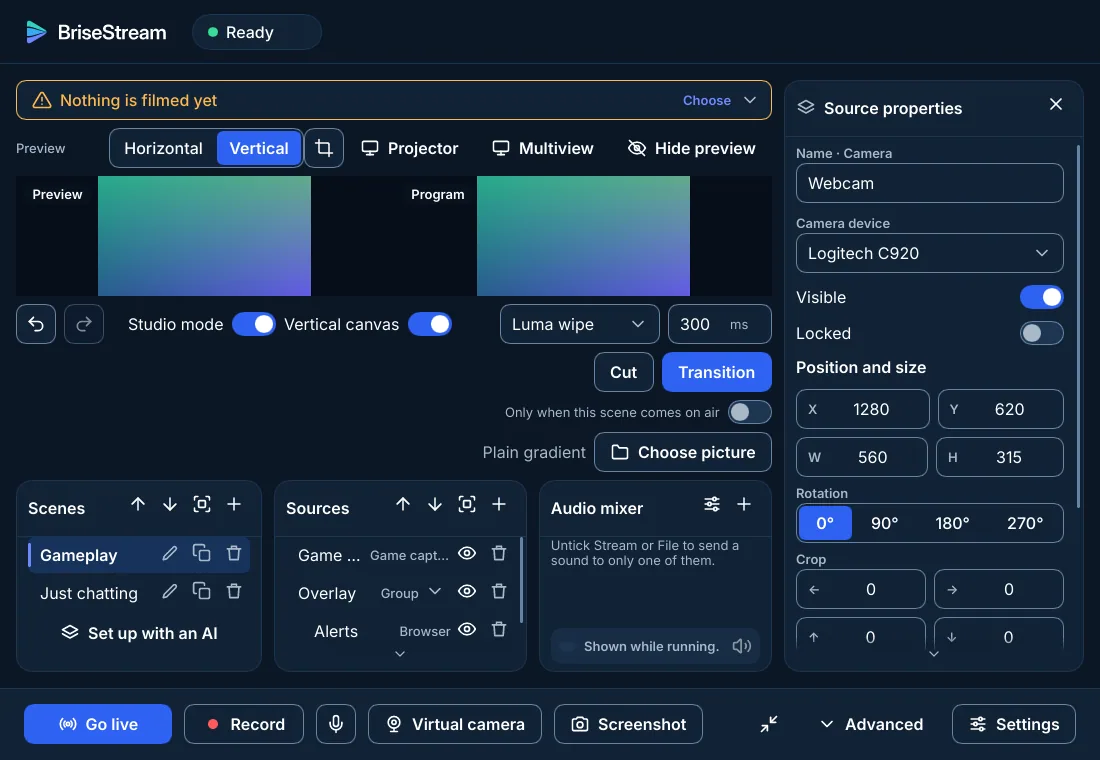
- Nested scenes, groups, precise position, size, rotation and crop
- Video filters: chroma key, colour key, colour correction, crop, LUT, sharpen, scroll, image mask, render delay
- Multiview and projector windows, and a screenshot of the program
- Horizontal and vertical canvas: a recording or a stream picks the one it encodes, and the second encoder runs only while it is used
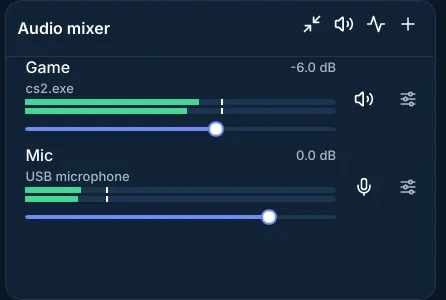
A mixer built for a long stream.
Up to six tracks, a filter chain per source, and all sources locked to one clock so that sound and picture do not drift apart.
- Filters
- Noise suppression (RNNoise), gate, compressor, limiter, gain, expander, equalizer; ducking from one trigger source
- Sources
- Per device and per application, each with its mixer row
- Sync
- Sync offset from 0 to 1000 ms, monitoring (off, monitor only, monitor and output)
- Controls
- Mono, balance, polarity, push-to-talk, push-to-mute, a key per source
- Plug-ins
- VST3, in a process of its own: one that crashes is bypassed and named, and takes nothing down
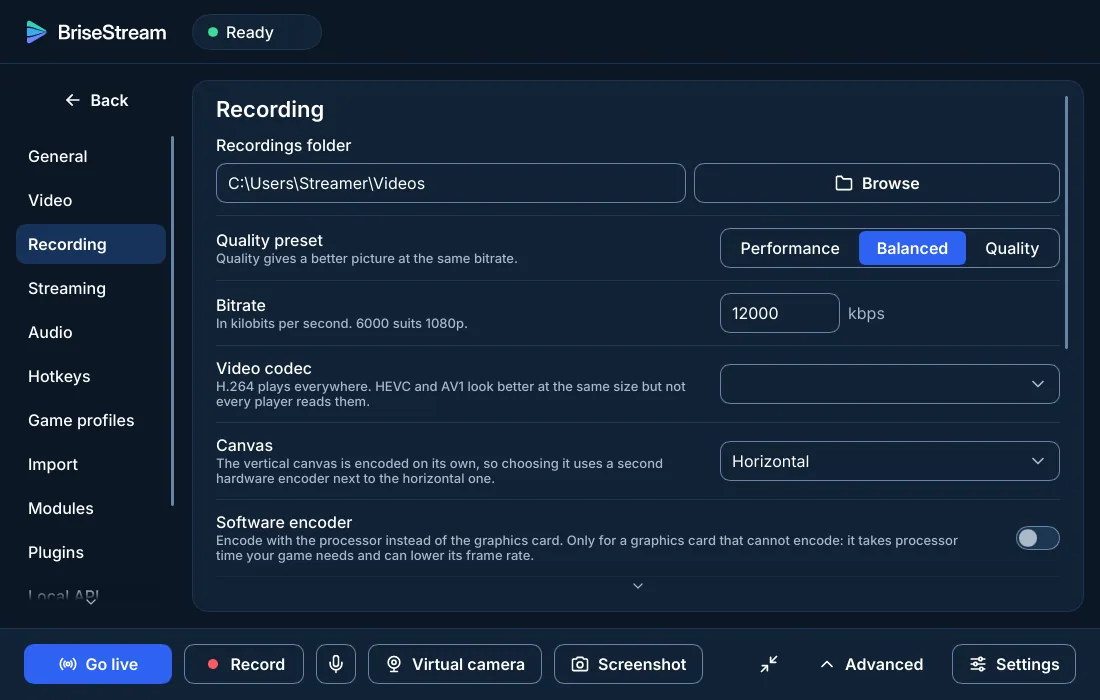
A recording you can always play.
The file is a Matroska file written as it goes, so a crash or a power cut leaves something you can open. Stopping never freezes the window.
- MKV while recording, converted to MP4 after you stop, off the interface thread; the original is kept by default
- Replay buffer, markers, pause, and splitting by time or size
- H.264, HEVC and AV1 on your graphics card's encoder, with CBR, VBR or CQP
- Up to six audio tracks plus a stream-only track; HDR10 recording
- The recording goes on while the network is down
- Software fallback for H.264 when a card has no encoder; it says plainly that it uses your processor
Go live in several places at once.
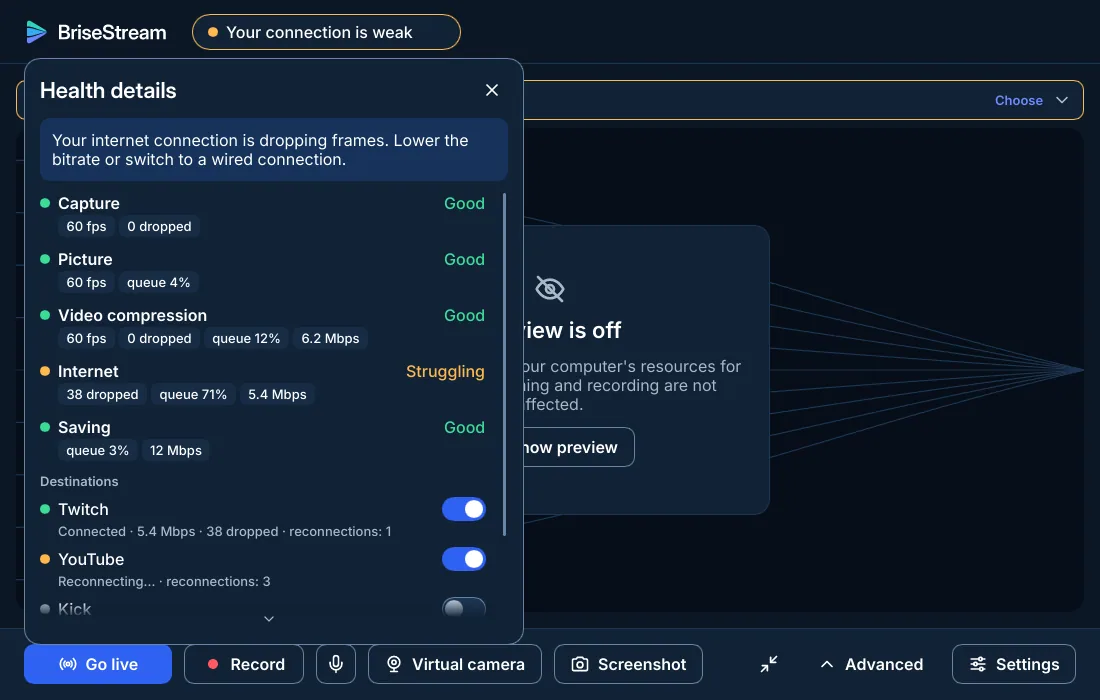
Twitch, YouTube, Kick and any custom server, together, each with its own statistics and its own switch. If one fails, the others and your recording keep going.
- RTMP(S), and SRT and WHIP by their address:
rtmps://,srt://,https:// - Automatic reconnection with backoff and jitter
- When your upload struggles, the bitrate goes down and you are told, instead of frames silently disappearing
- Stream delay up to 15 minutes, with a countdown and a Stop now
- Twitch sign-in instead of pasting a key (optional); keys are kept in the Windows Credential Manager
- A health panel that names the stage that fails: capture, picture, compression, internet or saving
Set up in minutes, then out of the way.
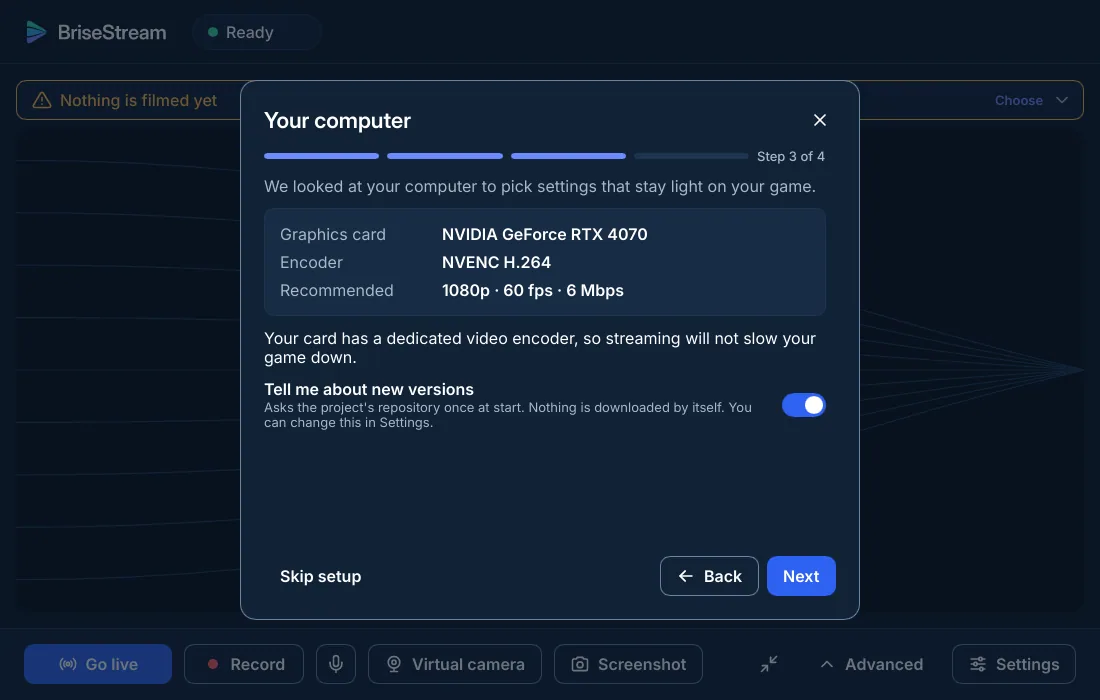
A four-step wizard looks at your graphics card, asks what you want to do and proposes settings that stay light on your game.
- Game profiles
- A scene or settings that switch when a given game comes to the front, and go back afterwards
- Hotkeys
- Global, working while a game is in front: go live, record, scenes, replay, markers, mute
- Profiles and collections
- Several sets of settings and several sets of scenes, with undo for deletions
- Mini panel and tray
- A small live panel while you play; start with Windows if you want
- Languages and themes
- English and French, light and dark following the system, a reduced-motion setting, full keyboard navigation
Optional parts cost nothing until you turn them on.
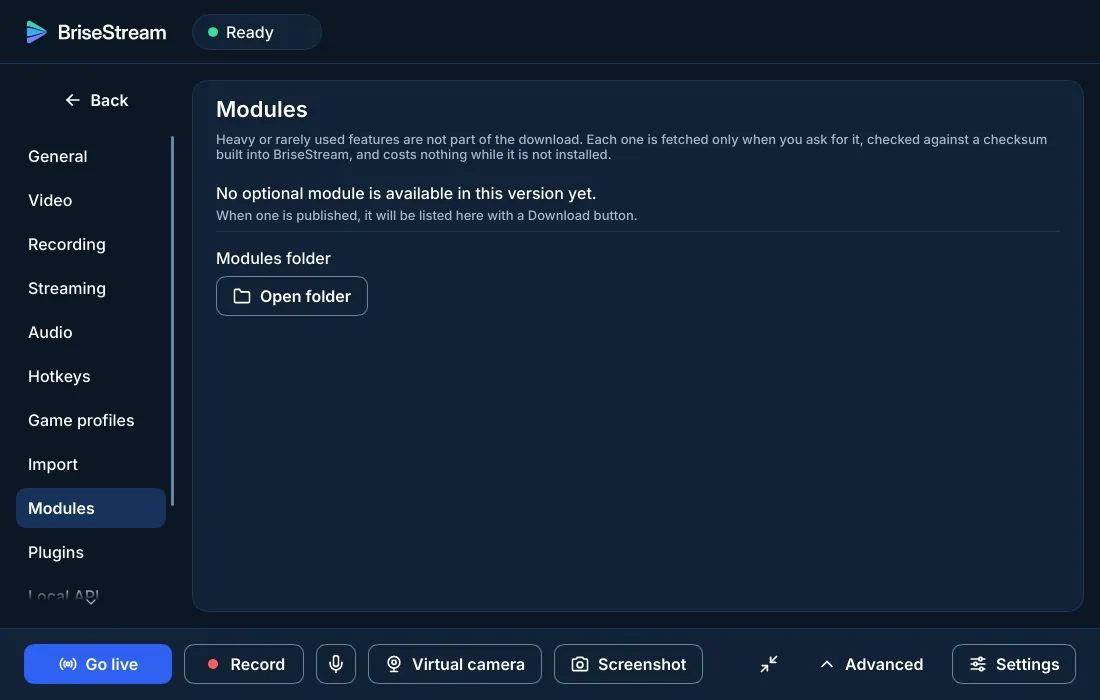
They own no thread and no memory while off. Some need something from your system.
- Browser source module
- Web pages for alerts and widgets, drawn with the WebView2 runtime that comes with Windows
- Virtual camera module
- Windows 11; asks for administrator rights once, on first start
- NDI module
- Output and source through the NDI runtime you install from ndi.video
- Local API
- Speaks obs-websocket 5, so tools written for OBS can talk to it; off by default
- Plug-ins
- A stable, versioned plug-in interface; a faulty plug-in is disabled instead of taking the app down
A download mechanism for heavier parts exists (pinned list, size and checksum verified, atomic install); no downloadable module is published in the current build.
What is missing, and what is different.
OBS is mature, has a huge plug-in ecosystem and runs on Linux and macOS today. This is where BriseStream is not there yet, from our own audit against OBS.
| Area | In BriseStream |
|---|---|
| Systems | Windows first; Linux and macOS come after. |
| Plug-ins | A new plug-in interface, so far without the ecosystem OBS has built over years. |
| Streaming services | Twitch, YouTube, Kick and custom RTMP(S), SRT or WHIP servers. OBS lists about a hundred named services; any other works as a custom server. |
| Recording formats | MKV, then MP4 on stop. No MOV, FLV or TS choice, and no audio-only recording yet. |
| Hotkeys | One key toggles streaming, recording and the replay buffer; separate start and stop keys are not there. |
| Browser source | A module on WebView2. No interact window and no "shutdown when hidden" switch. |
| Groups | Imported as nested scenes; no group transform on live layers. |
| Preview aids | Snap guides and handles; no safe-area overlay. Projectors for the program and the multiview, not for a single scene or source. |
Some features were written recently and are tested, but have not been run on a live stream yet: the three-band equalizer, the upward compressor, stream delay and screenshots.
Free, open source, for every streamer.
Version 1.0 is in preparation. Watch the project to hear when the first build ships.