
Bring your OBS scenes with you.
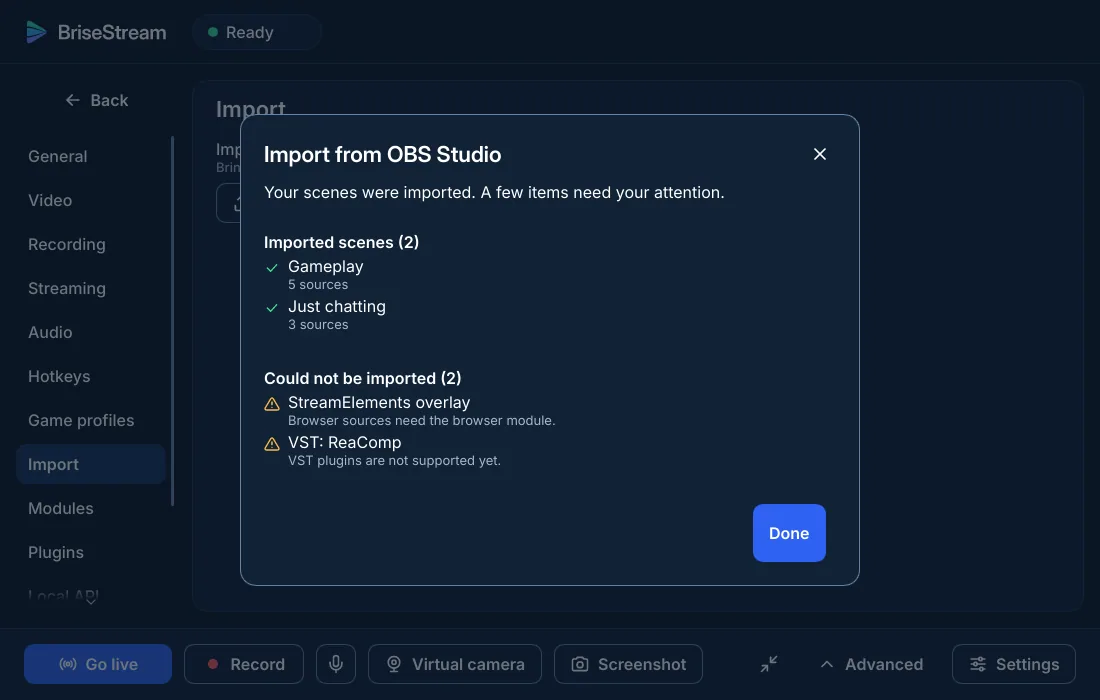
BriseStream reads your OBS Studio scene collections and profiles, converts what has an equivalent, and lists what it could not convert and why. Your scenes, sources, filters, audio settings and scene hotkeys come along.
Three steps, and OBS stays where it is.
The import only reads OBS's files. You can keep both installed and compare.
Run the wizard
The first start asks what you want to do and picks settings for your graphics card. You can open it again from Settings.
Settings, Import
Pick your OBS scene collections and profiles. BriseStream converts them and shows a result: what was imported, and what needs your attention.
Check, then go
Open your scenes, use studio mode to compare, fix the few items on the list, and record a minute before you go live.
What carries over.
The conversion is lossy by nature, so it is honest: everything left behind is listed with a reason.
| In OBS | In BriseStream |
|---|---|
| Scenes and nested scenes | Kept as references, so editing a nested scene still updates everything that uses it. |
| Groups | Become hidden scenes shown through a layer that carries the group's transform. Positions stay relative to the group. |
| Display, window, game, camera sources | Converted. Game capture becomes a capture that follows the game through the operating system, with no hook. |
| Image, colour, text, media | Converted. A media input that plays a URL is reported with its address: a media source plays a file. |
| Video filters | Colour correction, chroma key, colour key, crop, LUT, image mask, scroll and sharpen, in OBS's order and with their enabled state. Any other filter, and any setting with no counterpart, is listed. |
| Audio sources | Volume, mute, tracks, sync offset, monitoring, and the gain, noise suppression, gate, compressor and limiter filters. Other audio filters are listed. |
| Hotkeys | Scene switches, and the show and hide keys of a scene's items. Other hotkeys of a source are not carried over, and the report says so. |
| Vertical canvas | The first additional canvas fills the vertical layers, at 1080×1920, because OBS does not save its size. Further canvases are named in the report. |
| Browser sources | Imported, but the page's sound is not carried over, and browser sources need the browser module. A StreamElements overlay, for example, is listed for your attention. |
| VST plug-ins | VST3 is supported, in a process of its own. VST 2.x plug-ins are not supported; the report names them. |
| Smaller differences | Speex noise suppression imports as RNNoise, with a note. A negative sync offset imports as none. The Move transition's per-property curves and its move-source filters are not copied. A stinger's matte options are not imported. |
Honest caveat: the importer has been tested against hand-written OBS collections so far. A real collection may show gaps we have not met; the result window is there to tell you.
Stream Deck and your scripts keep a way in.
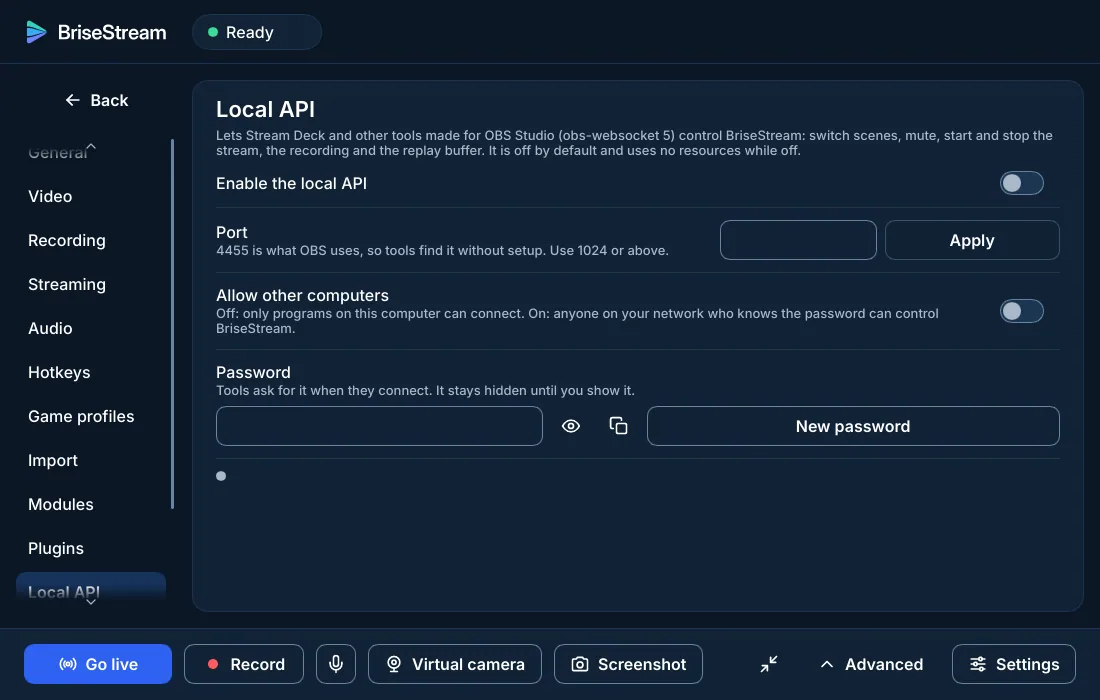
BriseStream has a local API that speaks obs-websocket 5, the protocol that tools written for OBS use. It is off by default, and while it is off it owns no thread and no socket.
Turn it on in Settings, Local API. We aim for protocol fidelity, but we have not tested every Stream Deck plug-in; try yours before you rely on it.
When to stay on OBS.
A fair answer is part of the offer. Stay on OBS if one of these is true today.
You need Linux or macOS now
BriseStream is Windows first. The others come later, with no date.
You depend on OBS plug-ins
OBS plug-ins are not compatible with BriseStream, which has its own plug-in interface and no ecosystem yet.
You use a named service we lack
OBS lists about a hundred streaming services. BriseStream names Twitch, YouTube and Kick; any other works as a custom server.
You need a feature on our gap list
Audio-only recording or MOV, FLV and TS files, for example. The full list is on the features page.
Last updated 2026-11-10.
Read next · BriseStream vs OBS Studio · BriseStream vs Streamlabs Desktop · Glossary
Try it beside OBS.
Version 1.0 is in preparation. When it ships, import one collection and see what comes along.